A virtual background in OBS, no green screen needed
The setup, the two settings that decide whether it looks convincing, and when a real green screen is still the better answer.
Written by Hakeemify and last checked on . ProMatte is free software under GPL-2.0-or-later.
You want a picture behind you instead of your room, and you do not want to hang a sheet of green fabric to get it. That works now, on hardware you already own, for free.
The honest trade is the edge. A lit green screen still beats every AI matte on fine hair, and it always will, because chroma key is solving a much easier problem.
Setup, start to finish
- Add the filter to your camera source: right-click the source, Filters, plus, ProMatte AI Background Removal.
- Set Preset to Green Screen Replacement. It switches the mode to Replace with image on its own, because that is what it is for.
- Choose your image file, and set Fit to Fill (crop) unless the aspect ratio already matches.
- Leave Quality on Auto.
- If you see a colour fringe from your real wall, raise Edge decontamination and Halo removal.
What it looks like
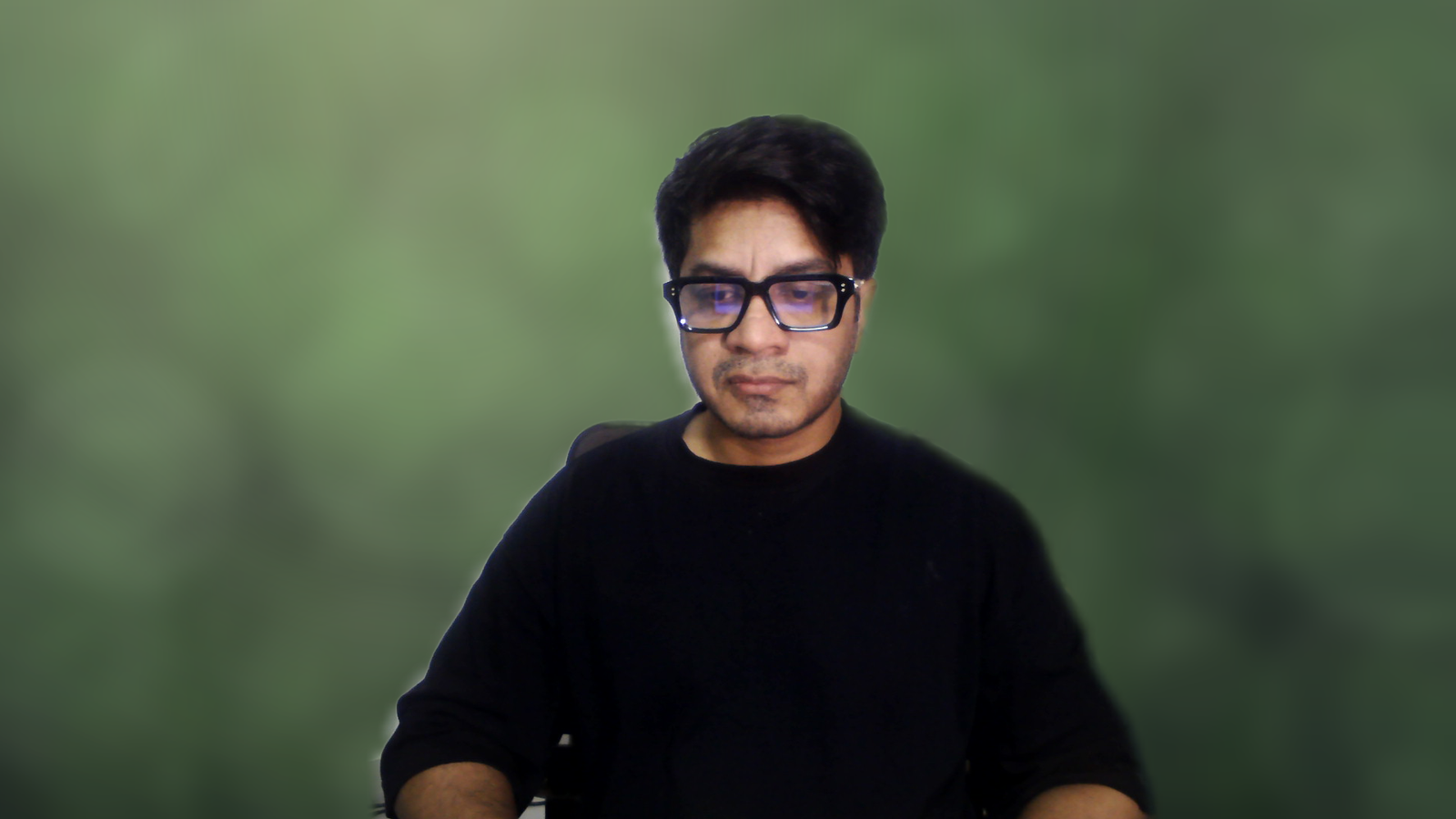
The two settings that matter most
Edge shift moves the boundary of the cutout in or out by a pixel or two. Pulling it very slightly inward is the single most effective fix for a visible halo, because a halo is almost always a ring of background pixels that were kept.
Edge decontamination deals with the colour that leaked. Pixels at your edge are a mix of you and the wall behind you, so on a strongly coloured wall your outline picks up that colour. Decontamination unmixes it. Turn it up if your edge looks tinted.
When a real green screen is still better
A lit green screen with OBS' own chroma key still beats every AI matte, including this one. It costs money and floor space, and it needs lighting. That trade is the whole comparison.
Where A physical green screen is strong: Better edges, near-zero CPU and GPU cost, no model to load, no first-run compile, and it never confuses a held microphone for the background. For a fixed studio it is simply the better answer.
| Feature | A physical green screen | ProMatte |
|---|---|---|
| Edge quality | Best available, when lit properly | Good, and it depends on the model and the machine |
| Processing cost | Near zero | 1.7 to 3.3 ms of render time plus the AI on its own thread, measured on a 2017 laptop on a 2017 low-end laptop (i7-7500U + GeForce 940MX, Windows 11) |
| Setup | A screen, a stand, two lights, and space to leave it up | Install and pick a preset |
| Cost | Money and floor space | Free |
| Portability | No | Yes |
| Held objects | Handled correctly | Segmentation models can drop them |
When A physical green screen is the better choice
- You have a fixed desk you can leave a screen set up behind, and you can light it.
- You need the best possible edge, every time, with no exceptions.
- Your machine has nothing left to give. Chroma key is nearly free; a neural matte is not.
Honest limits
Known limits
- Every shipped model is single-person or person-class. A second person is only kept if the model happens to segment them. The largest connected region is always kept, so you are never the one who disappears.
- A microphone in front of your face or a mug in your hand is background as far as the person-segmentation models are concerned. RVM handles held objects better because it mattes rather than classifies.
- Robust Video Matting is the best-looking model and the most expensive. On the 2017 test laptop it costs 71 to 96 ms a frame, so Auto does not pick it there. Choose it manually on that class of hardware and you get a high-quality matte that visibly lags.
- Every number here comes from one machine, a 2017 dual-core laptop with a Maxwell GPU. Mid-range and high-end performance has not been verified by anyone.
Real-time AI background removal for OBS. Free, open source, and it never leaves your PC.
Windows installer, Linux .deb and .tar.gz, macOS bundle. Free, GPL-2.0-or-later. ProMatte is GPL-2.0-or-later and stays that way. Sponsorship never buys code, features-behind-a-paywall, or a licence. It buys time, hardware and models.
Questions people actually ask
Why does Remove (transparent) look like it does nothing?
Because transparent makes the background see-through, and you only see that when there is something behind the camera in the scene. Put your game or your slides below the camera, or use Blur to confirm the AI is working.
How do I get rid of the halo around my hair?
Raise Edge decontamination and Halo removal, move Edge shift slightly negative, and light yourself separately from the wall behind you. A bright wall directly behind the head is the hardest case for every matting model.
Do I need an NVIDIA card?
No. It runs on any D3D12-capable GPU through DirectML, including Intel and AMD, and falls back to the CPU. The machine every number here was measured on is a 2017 laptop with a GeForce 940MX.
Is it really free?
Yes. GPL-2.0-or-later, no account, no licence key, no paid tier. Sponsorship is optional and funds development time, hardware and models, never the code.
Related
- OBS Background Removal: The Complete Guide
- An obs-backgroundremoval Alternative, and When to Stay Put
- How to Blur Your Background in OBS
ProMatte is free software under GPL-2.0-or-later, built by Hakeemify. Every measurement on this page names the machine it came from.