OBS background removal without a green screen
Every option for cutting yourself out of your room in OBS, what each one costs you, and where they all still fall short.
Written by Hakeemify and last checked on . ProMatte is free software under GPL-2.0-or-later.
You have OBS open and you would rather your viewers did not see your room. There are four real ways to do that, and only one of them is free, open source and runs on hardware you already own.
This guide covers all four, including the cases where the free option is the wrong choice. Every number here was measured on one 2017 laptop, and it says so each time.
The four options, compared
| Option | Cost | Hardware | Catch |
|---|---|---|---|
| Physical green screen + OBS chroma key | Money and floor space | Any | Best edges by far, but you have to light it and leave it up |
| NVIDIA Broadcast | Free | NVIDIA RTX only | Excellent, if you have the card |
| XSplit VCam | Paid, limited free tier | Any | Closed source, works outside OBS too |
| ProMatte, or obs-backgroundremoval | Free | Any D3D12 GPU, or CPU | Edge quality depends on the model and the machine |
How AI background removal actually works
A model looks at a shrunken copy of your camera frame and produces a matte: a per-pixel map of how much of you is at each point. That map is small, often 256 by 144, so blowing it back up to 1080p is where the quality is won or lost.
The trick is to use the full-resolution image to guide the upscale, snapping the soft edge of the matte onto the real edge in the picture. That is why a model working at 256 by 144 can still give you a usable edge at 1080p, and why two plugins running the same model can look very different.
Before and after
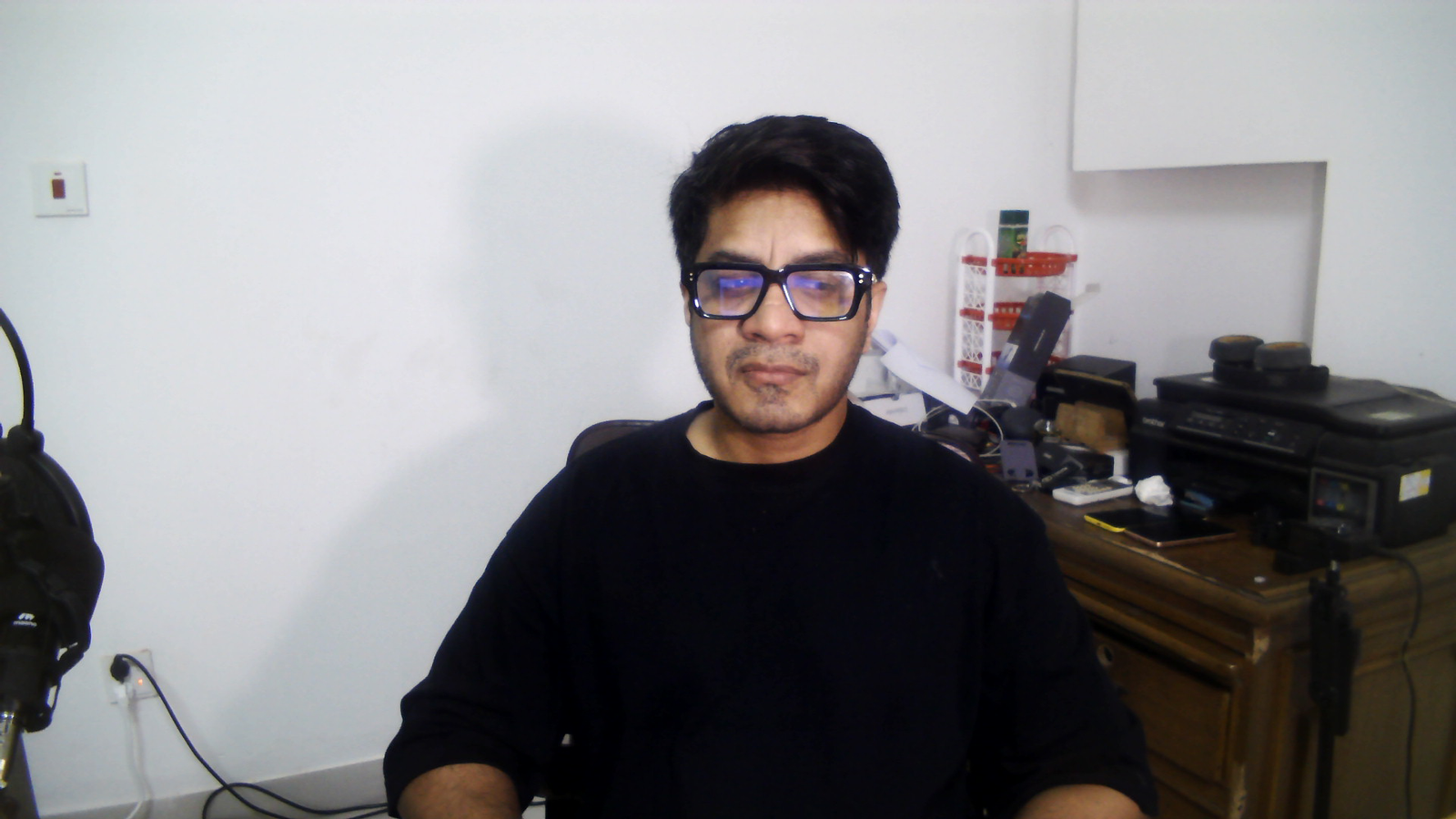
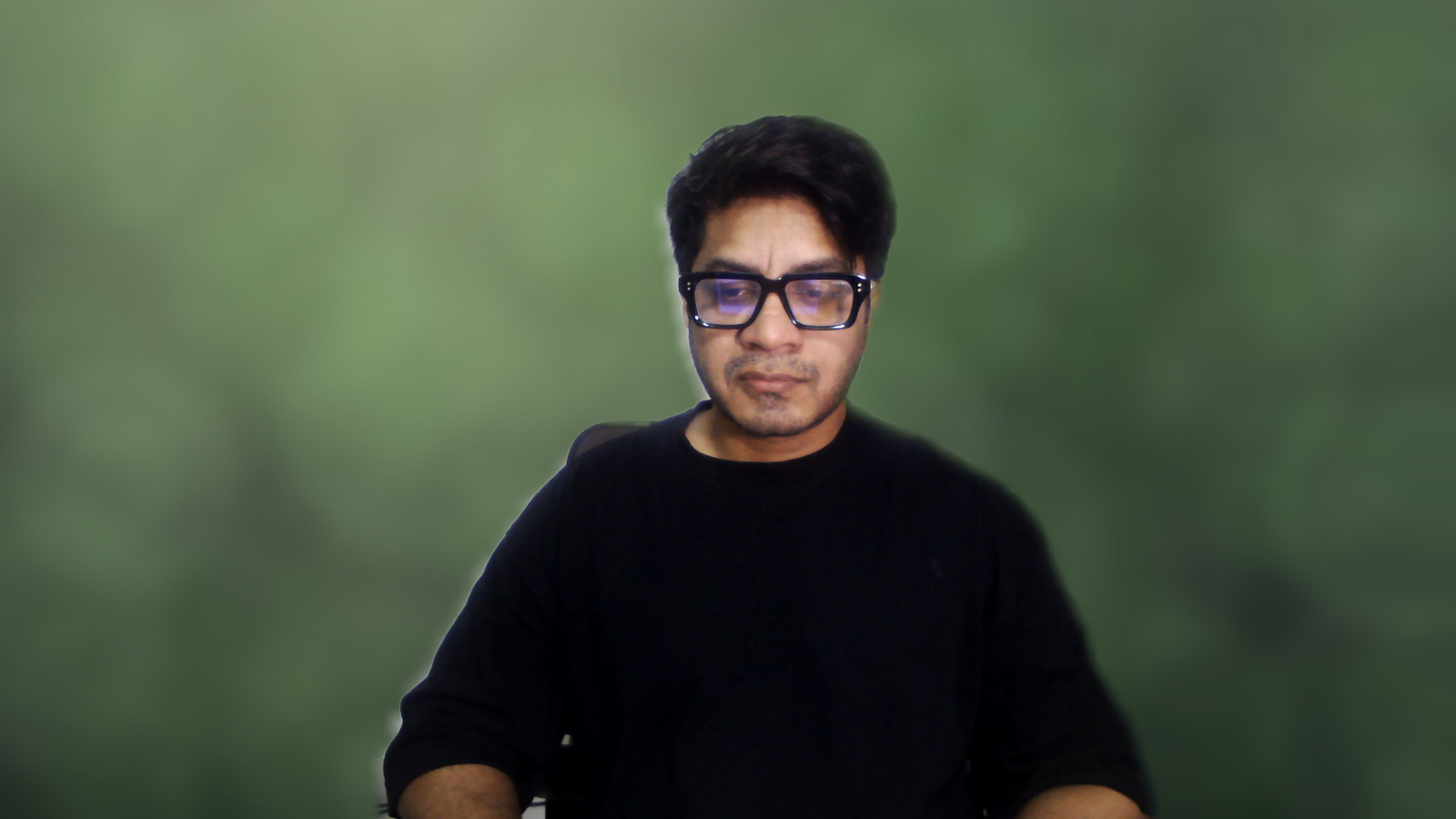
The same frame with the filter off, then on. Captured live in OBS on the 2017 test laptop.
What it costs your machine
On the render thread the filter costs 1.7 to 3.3 ms on a 2017 low-end laptop (i7-7500U + GeForce 940MX, Windows 11)
Measured: docs/final-verification.md section 3.3Inference runs on its own thread. The render thread never waits for it: if a fresh matte is not ready, the previous one is reused for another frame. That is the reason OBS holds its frame rate even when the model is slower than the camera feed.
What is actually verified, and where
Verified end to end on Windows, on one 2017 laptop with a real webcam. Every measurement in this repo comes from that machine.
On Apple Silicon, 1.0.2 loads in OBS 32.2.2 and removes the background, with OBS holding 30/30 fps at 23.6 % CPU. That is a confirmation from a screenshot, not an instrumented run, and there are no benchmark numbers for macOS.
The Intel Mac slice is built and every load command in it resolves, but nobody has run it. Both the CI runner and the machine that confirmed Apple Silicon are Apple Silicon.
Linux builds, passes its unit tests, and produces a package whose module loads with every library resolving. It has never been run inside a real OBS against a camera.
The six presets
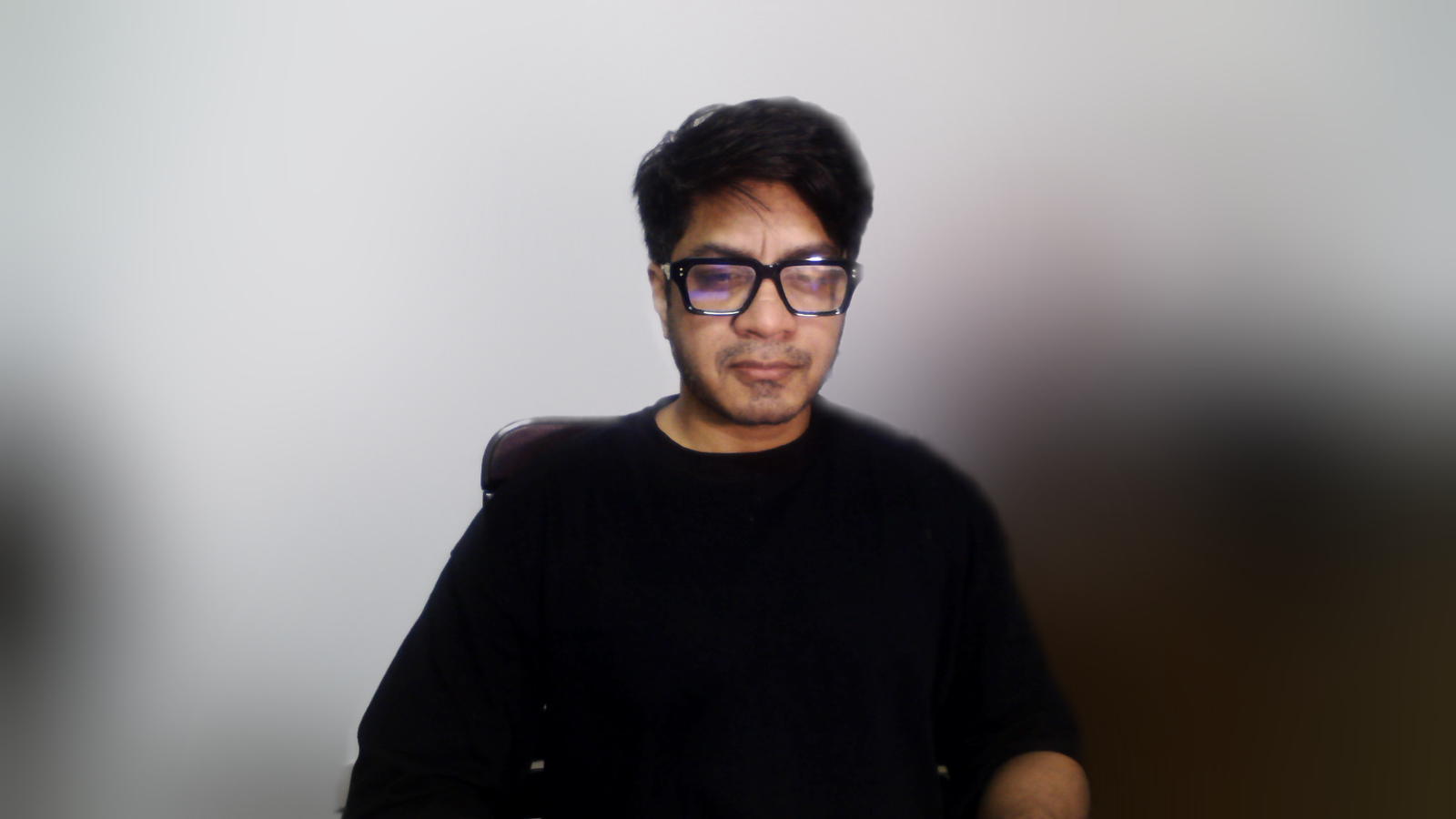
The presets tune matte quality and speed. None of them crop or zoom: Tutorial / Talking Head does not frame your head for you. Use OBS' own Crop/Pad filter or resize the source in the scene for that.
What Auto actually chose on a slow machine
CPU backend, PP-HumanSeg v2 Portrait, 256x144, for all six presets on a 2017 low-end laptop (i7-7500U + GeForce 940MX, Windows 11)
Measured: capture/out/manifest.json, capture run 2026-09-09, ProMatte 1.0.2 in OBS 32.2.2Compared with obs-backgroundremoval
obs-backgroundremoval is a good plugin. It is GPL-2, it has been around longer than ProMatte, it works, and a lot of people are happy with it. If it is working for you there is no reason to switch. What follows is what is built differently, not a claim that it is bad.
Where obs-backgroundremoval (occ-ai) is strong: It has years of real-world use behind it, a larger model selection including some ProMatte does not ship, and a community that has already answered most questions about it.
| Feature | obs-backgroundremoval (occ-ai) | ProMatte |
|---|---|---|
| Licence | GPL-2.0 | GPL-2.0-or-later |
| Inference runtime | ONNX Runtime 1.12 (DirectML / CUDA / CPU) | ONNX Runtime 1.24.4 (DirectML / CPU shipped; CUDA, TensorRT, CoreML, OpenVINO when present) |
| Frame readback | Reads back the whole frame at AI resolution | GPU downscale to AI resolution, then a staging ring mapped one frame late so the map never stalls the compositor |
| Temporal handling | No motion-adaptive temporal filter | Motion-adaptive stabiliser: static regions converge slowly, moving regions follow within a frame |
| Edge treatment | Mask blur and a contour filter | Joint bilateral upsampling, feather, edge decontamination, halo removal |
| Adaptive quality | Not present | Tier ladder plus model and backend fallback, measured and remembered per machine |
| UI language | Exposes ML terms: threshold, contour, mask every X frames | Six named presets; the ML controls are there under Advanced |
| GPU selection on laptops | Defaults to adapter 0, usually the iGPU | Uses the adapter OBS renders on, and it is selectable |
When obs-backgroundremoval (occ-ai) is the better choice
- You are already using it and it works. Switching costs you time and gains you nothing certain.
- You want a model it ships and ProMatte does not.
- You are on a platform where ProMatte has not been verified. ProMatte is proven on Windows, confirmed loading and removing backgrounds on Apple Silicon, and untested inside a real OBS on Linux.
- You want the option with the longer track record and the bigger pile of existing answers. That is a real thing to want.
Where all of this still falls short
Known limits
- Every shipped model is single-person or person-class. A second person is only kept if the model happens to segment them. The largest connected region is always kept, so you are never the one who disappears.
- A microphone in front of your face or a mug in your hand is background as far as the person-segmentation models are concerned. RVM handles held objects better because it mattes rather than classifies.
- Robust Video Matting is the best-looking model and the most expensive. On the 2017 test laptop it costs 71 to 96 ms a frame, so Auto does not pick it there. Choose it manually on that class of hardware and you get a high-quality matte that visibly lags.
- Every number here comes from one machine, a 2017 dual-core laptop with a Maxwell GPU. Mid-range and high-end performance has not been verified by anyone.
Setting it up
- Install the plugin and restart OBS.
- Right-click your camera source, choose Filters, then the plus button, then ProMatte AI Background Removal.
- Leave Background on Blur to confirm it is working, then switch to the mode you actually want.
- Leave Quality on Auto. It measures your machine and remembers what worked.
- Optional: open Model manager and download Robust Video Matting for the best hair detail, if your GPU has the headroom.
Real-time AI background removal for OBS. Free, open source, and it never leaves your PC.
Windows installer, Linux .deb and .tar.gz, macOS bundle. Free, GPL-2.0-or-later. ProMatte is GPL-2.0-or-later and stays that way. Sponsorship never buys code, features-behind-a-paywall, or a licence. It buys time, hardware and models.
Questions people actually ask
Is it really free?
Yes. GPL-2.0-or-later, no account, no licence key, no paid tier. Sponsorship is optional and funds development time, hardware and models, never the code.
Does it send my camera anywhere?
No. Frames are processed in memory on your machine and are never uploaded, saved or transmitted. There is no telemetry and no account. The only outgoing request is a model download you start yourself. Source: docs/final-verification.md section 7; README.md Privacy
Do I need an NVIDIA card?
No. It runs on any D3D12-capable GPU through DirectML, including Intel and AMD, and falls back to the CPU. The machine every number here was measured on is a 2017 laptop with a GeForce 940MX.
Will it slow OBS down?
Inference runs on its own thread and the render thread never waits for it. On the test laptop the filter cost 1.7 to 3.3 ms of render time while OBS held 30 fps. Source: docs/final-verification.md section 3.3
Why does Remove (transparent) look like it does nothing?
Because transparent makes the background see-through, and you only see that when there is something behind the camera in the scene. Put your game or your slides below the camera, or use Blur to confirm the AI is working.
Does it work on Mac and Linux?
On Apple Silicon, 1.0.2 loads in OBS 32.2.2 and removes the background at 30/30 fps. There are no benchmarks for macOS and the Intel Mac slice has never been run. On Linux it builds, installs and loads, but it has never been run inside a real OBS. Source: CHANGELOG.md 1.0.2
Related
- OBS Virtual Background Without a Green Screen
- An obs-backgroundremoval Alternative, and When to Stay Put
- How to Blur Your Background in OBS
- NVIDIA Broadcast Alternative for OBS
ProMatte is free software under GPL-2.0-or-later, built by Hakeemify. Every measurement on this page names the machine it came from.